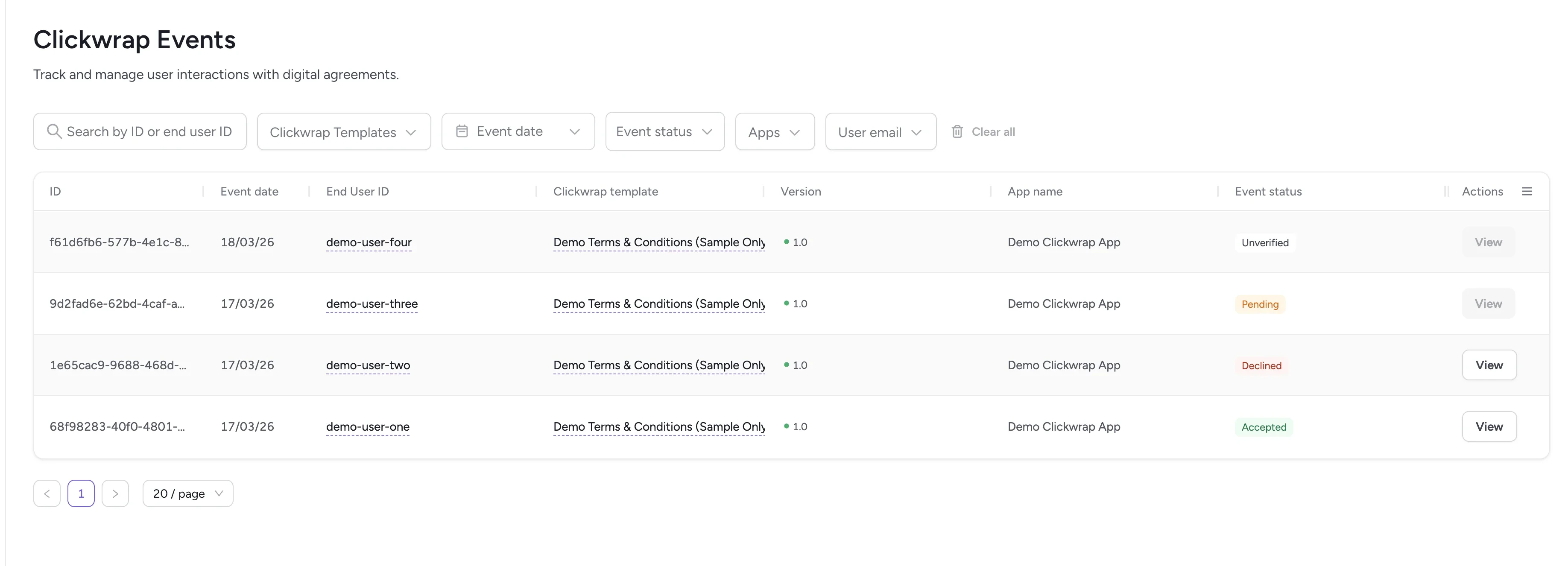
The Clickwrap Events page allows you to track every interaction users have with your templates. Each time a user views, accepts, rejects, or interacts with a clickwrap document, an event is created. This page gives you full visibility into what happened, when it happened, and which template and version were involved.
Events recorded here correspond directly to event objects returned by the ClickTerm API.

When to use this page

  • Confirm whether your integration is working correctly
  • Verify if a user accepted the latest version of Terms & Conditions
  • Check acceptance status during support or dispute investigations
This page is essential for legal teams, compliance, and developers who need to verify user actions or troubleshoot integrations.

Events table

Clickwrap events table
Each row in the table represents a single event:
ColumnDescription
IDThe event identifier
Event dateWhen the event occurred
End User IDThe user involved in the event
Clickwrap templateWhich template was shown
VersionThe version used in the session
App nameThe application where the event happened
Event statusVerification status (Accepted, Pending, Declined)
ActionsView event details (for Accepted/Declined events)
Most fields mirror the event data you can retrieve through the API.

Event statuses

Events follow this lifecycle:
1

Pending

The user has started the clickwrap flow but has not completed it yet. For example, they may have opened the document but not taken action. This helps you track in-progress sessions and understand drop-off points.
2

Unverified

The end user has accepted or declined the terms, but your application has not yet confirmed the outcome. Unverified events are not considered final.
3

Accepted or Declined

After your system verifies the event, the status becomes Accepted or Declined. These are final states.

Event details

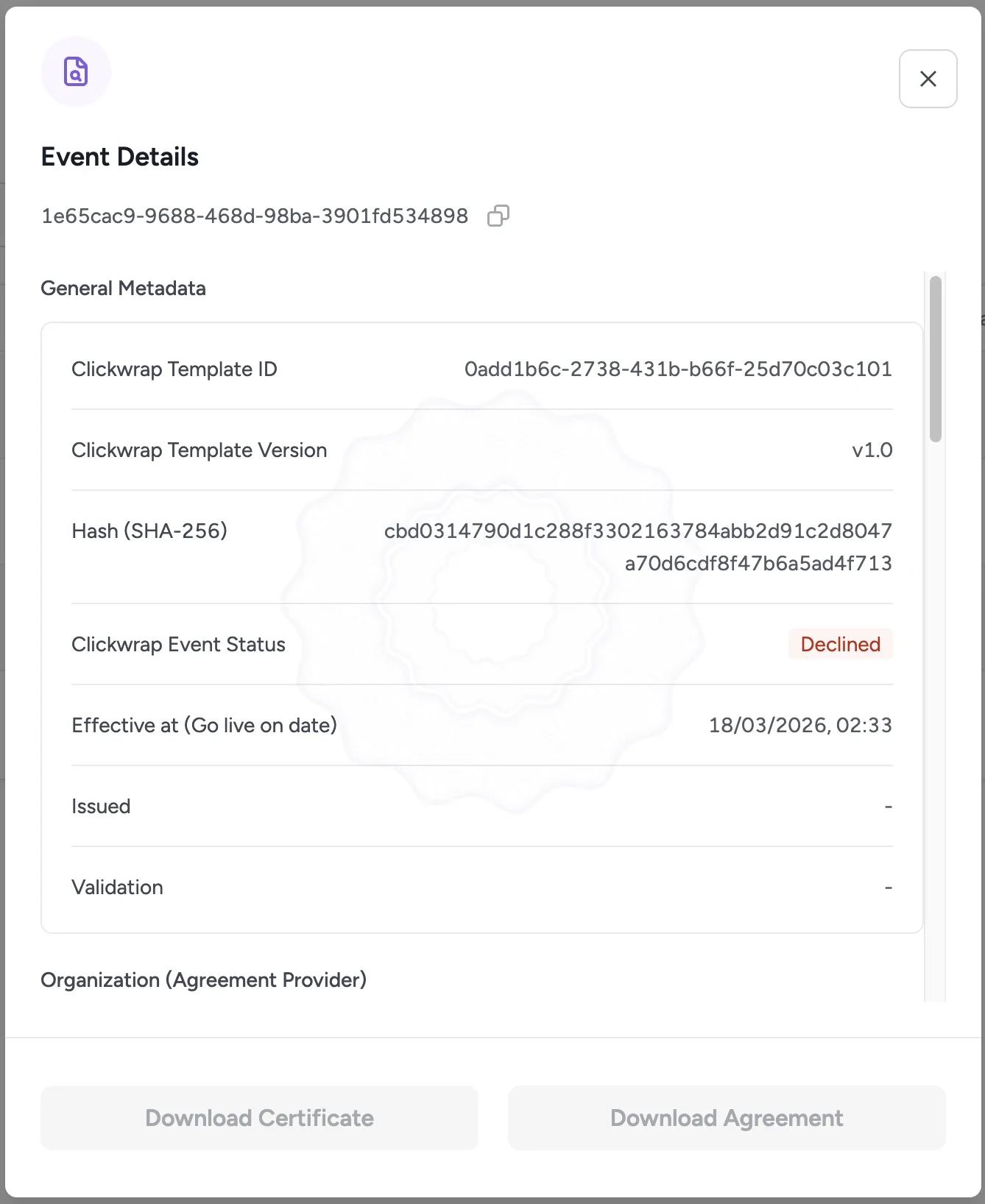
The View button is enabled when an event has an Accepted or Declined status.

Declined events

Declined event details
You can view:
  • General metadata
  • Agreement provider details
  • End user information
  • Technical metadata
  • Event timeline

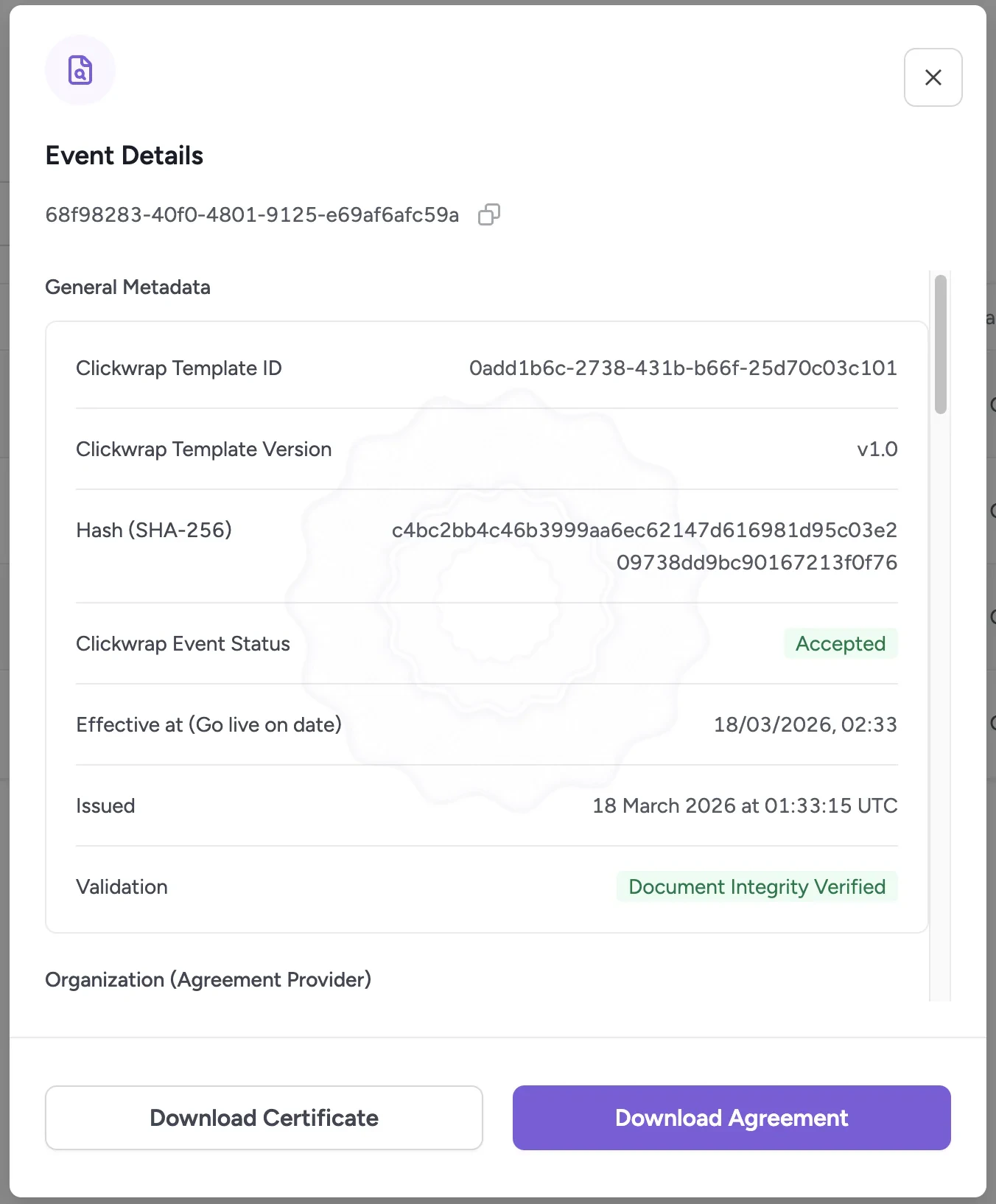
Accepted events

Accepted event details
In addition to all of the above, you can download: Certificate of Acceptance A digitally signed PDF that proves a specific user accepted a specific clickwrap version at a specific time. The certificate includes metadata such as user ID, timestamp, IP address, browser/device information, and the exact text of the accepted terms. It serves as admissible proof for legal and compliance purposes. Clickwrap Agreement The finalized, fully rendered version of the clickwrap agreement — including all resolved placeholders — as it was presented to and accepted by the end user. This document combines the Certificate of Acceptance with the accepted content and can be downloaded for audit, legal, or compliance purposes.

End users

View consent history per end user.

Developer guide: Downloading certificates

Retrieve certificates programmatically via the API.