

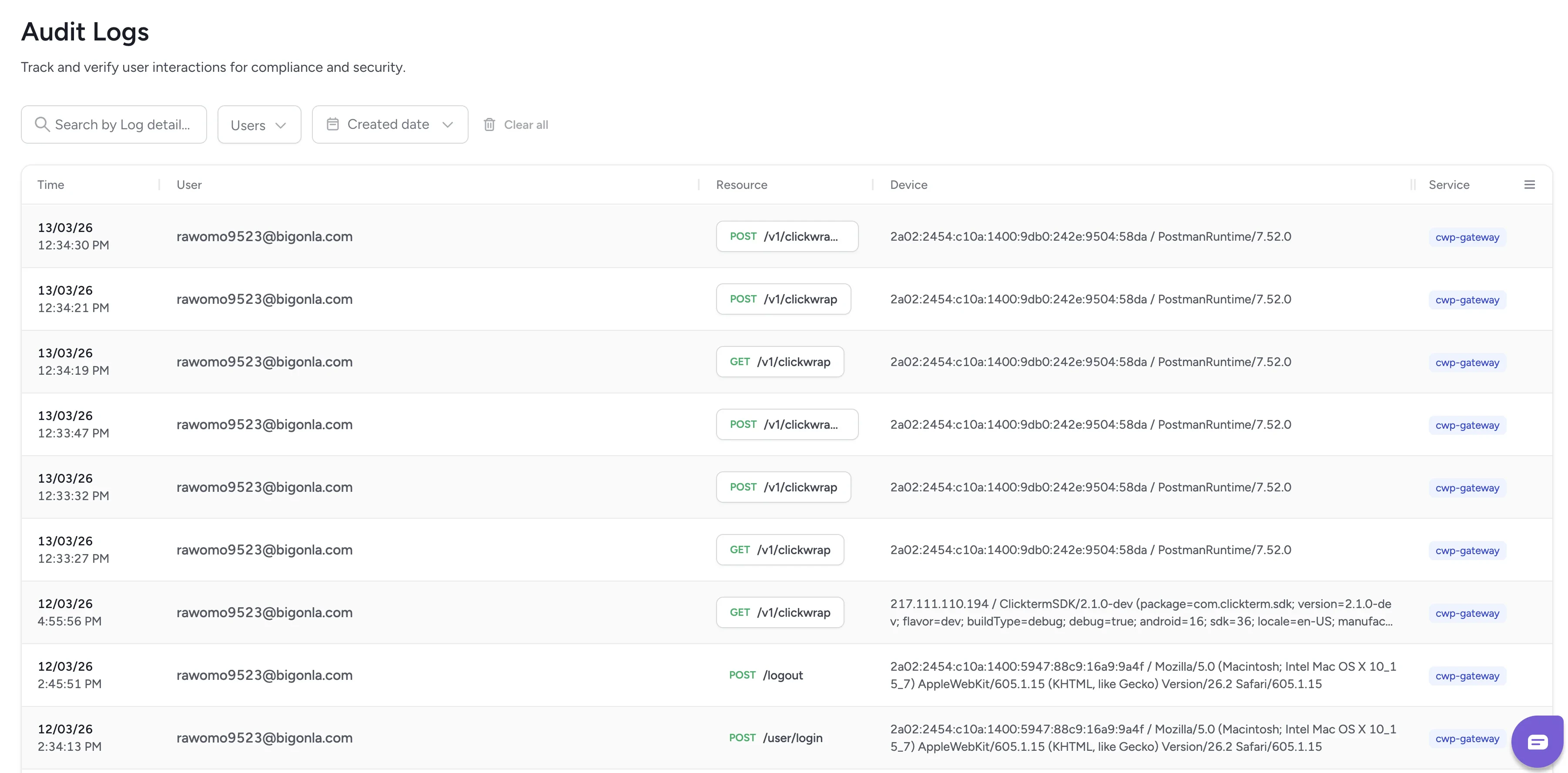
The Audit Logs page provides a detailed record of all interactions with the ClickTerm system. These logs help you verify system activity and review API usage. Every log entry reflects an action performed by a user or an integration, along with metadata that helps you understand what happened and when.

Logs table

Audit logs table
Each row in the table represents a single audit event:
ColumnDescription
TimeThe exact timestamp of the action
UserThe ClickTerm user who performed it (e.g., your team member)
ResourceThe API endpoint involved (e.g., POST /v1/clickwrap)
DeviceDevice or agent information, such as IP address and user agent
ServiceThe internal ClickTerm service that processed the action (e.g., CT-Gateway)
This information helps you understand the origin and nature of each action for compliance and troubleshooting purposes.

Clickwrap events

View detailed event logs and download certificates.

Team management

Manage workspace access and member roles.