

Setting up or maintaining an integration? See the
Developer Documentation for API references,
authentication, integration examples, and event handling guides.
When to use this page
- Connect new applications to ClickTerm
- Verify if an integration is active or disabled
- Troubleshoot issues by checking which integration generated events
Integrations table
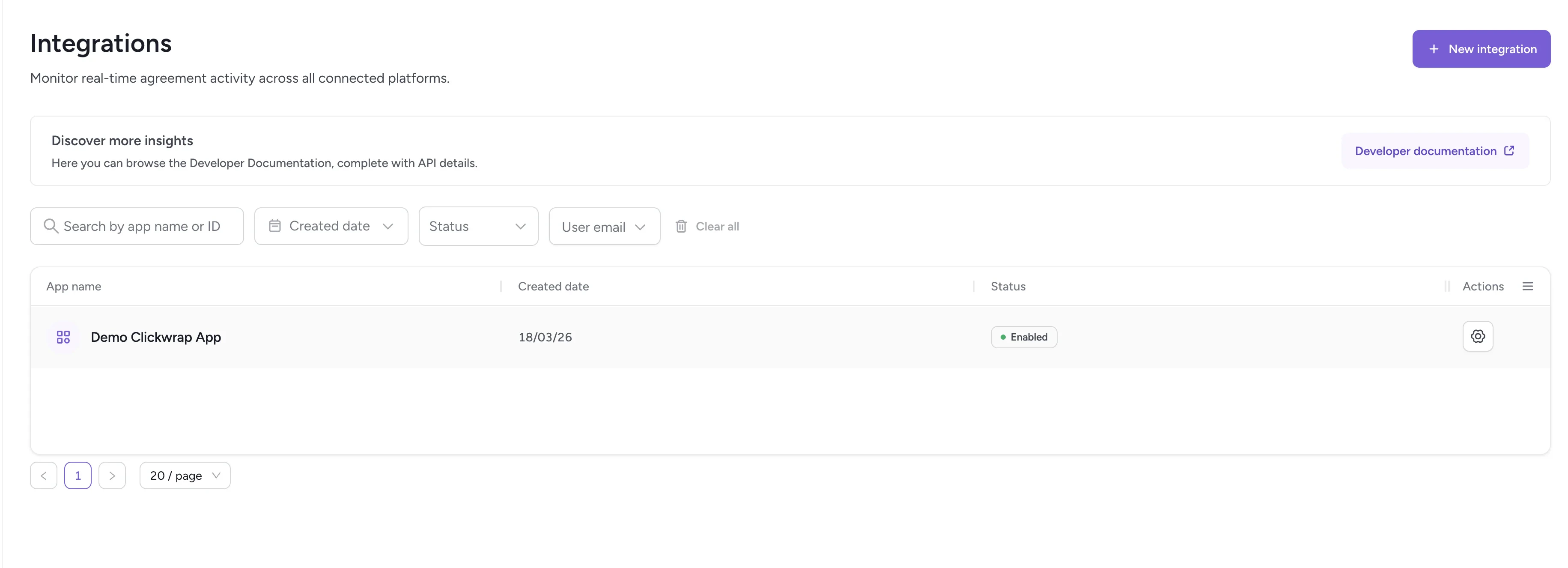
Integrations table
Integration configuration
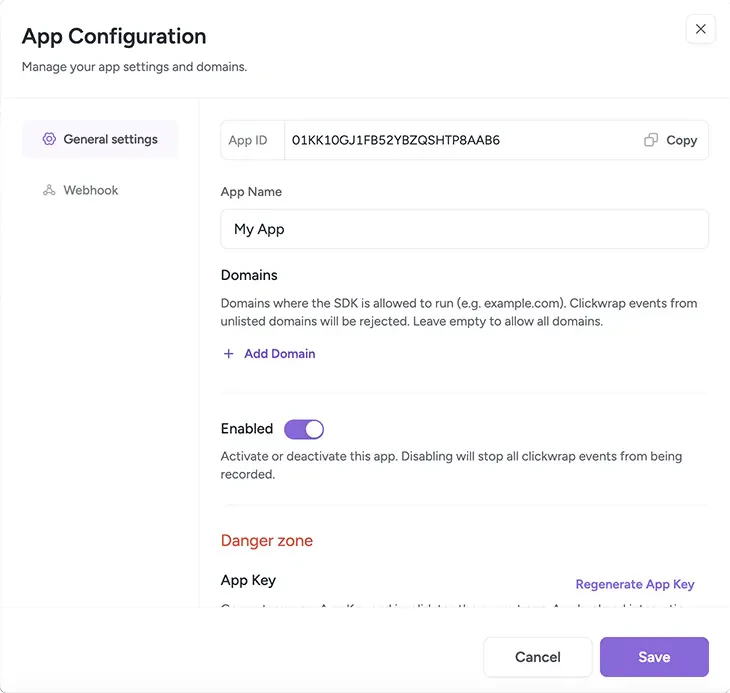
Integration configuration dialog
App ID
The App ID is a unique identifier used by your developers when integrating with the ClickTerm API. It is displayed at the top of the configuration window.App Name
You can edit the display name using the App Name field. This name is used only inside the ClickTerm Dashboard and has no effect on API behavior.Regenerate App Key
Creates a new App Key for this integration. Regenerate the key if:- The current key may be compromised
- You lost your key
- You want to revoke access from older environments
Delete app
Removes the integration from your account. Deleting an integration disables all clickwrap activity associated with it.Callback URL
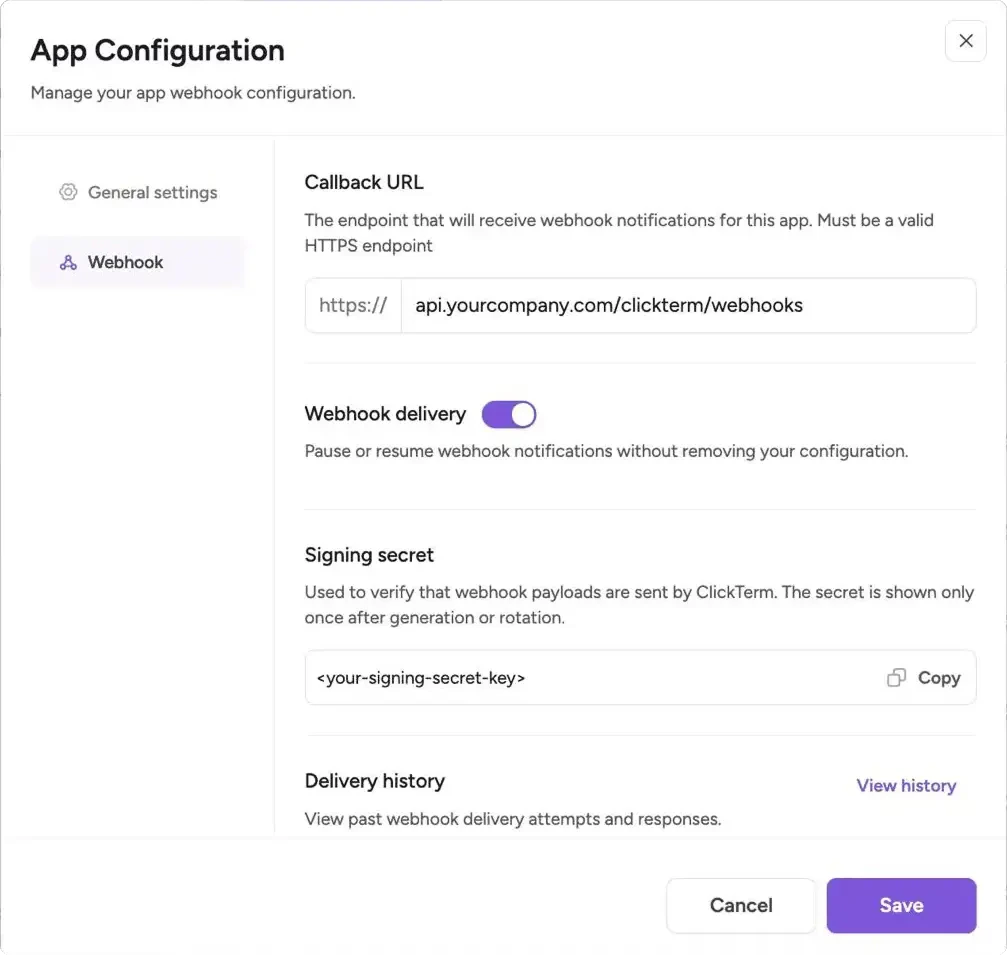
Integration webhook configuration
- Use a public HTTPS endpoint that accepts
POSTrequests - Configure this when you want ClickTerm to notify your backend after verified clickwrap events
- Keep the endpoint stable to avoid missed deliveries
Webhooks are typically used for asynchronous processing such as syncing
consent records, triggering workflows, or updating internal systems after
a verified event.
Webhook delivery
The Webhook delivery toggle controls whether ClickTerm sends webhook events to your configured endpoint.- Enabled: Events are delivered in real time
- Disabled: Delivery is paused without removing configuration
Use this to temporarily stop incoming webhook traffic during maintenance or debugging without losing your setup.
Webhook signing secret
Each integration includes a webhook signing secret used to verify that incoming webhook requests were sent by ClickTerm.- Store the signing secret in your backend secret manager or environment variables
- Treat secret rotation the same way you would App Key rotation
- Verify every webhook request before processing its payload
Delivery history
The Delivery history provides a log of recent webhook delivery attempts.- View request payloads, response status codes, and timestamps
- Helps diagnose failed deliveries or endpoint issues
- Useful for debugging webhook integrations
Related
Developer: Introduction
Get started with the ClickTerm API and SDKs.
Guide: Webhooks
Configure webhook delivery and verify webhook signatures.
API: Authentication
How App ID and App Key work for API authentication.