

- Billing details — Manage payment information and invoice settings
- Invoices — View and download past invoices
Billing details tab
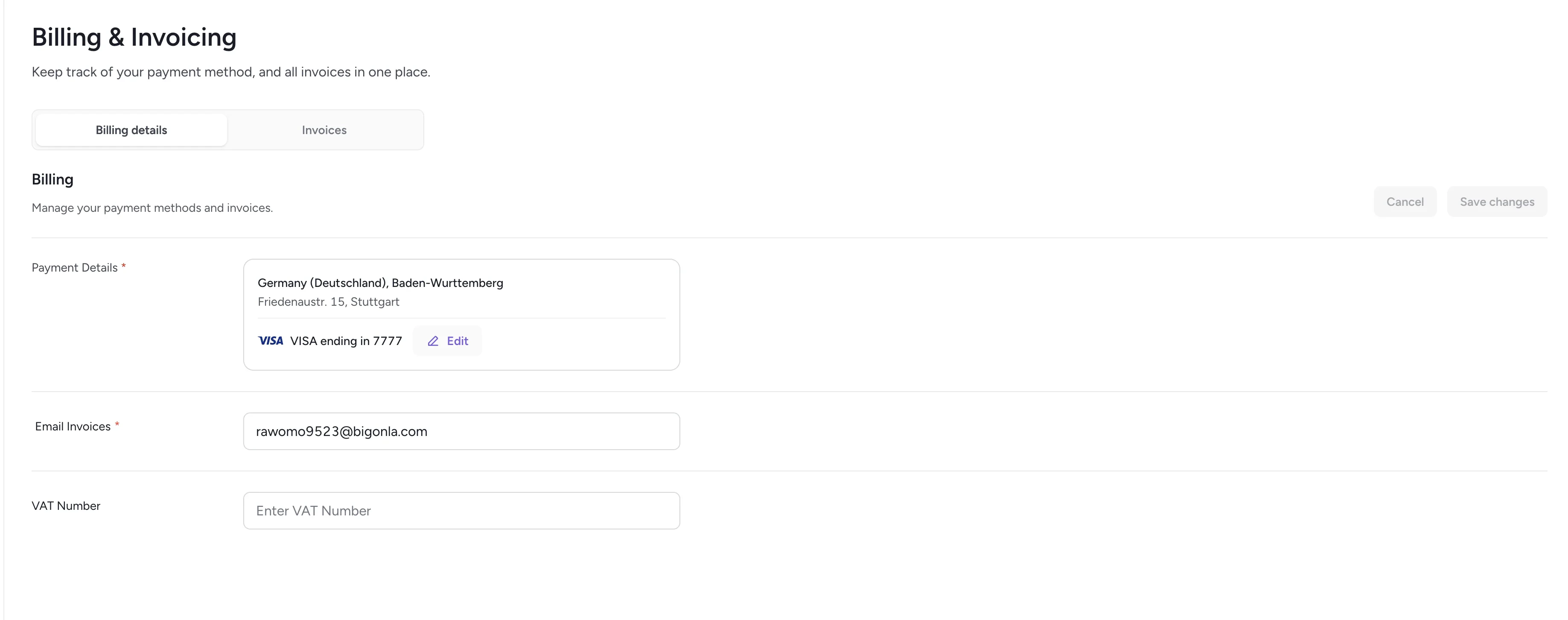
Billing details
Payment method
Your default payment method appears at the top (e.g., a Visa card ending in 7777). You can:- Set a card as default
- Add a new payment method or remove an existing one
Billing address
Add and edit your billing address, including:- Country / region
- City
- Street address
Email invoices
Specify the email address where invoices should be delivered.VAT number
If applicable, add or update your VAT identification number.Invoices tab
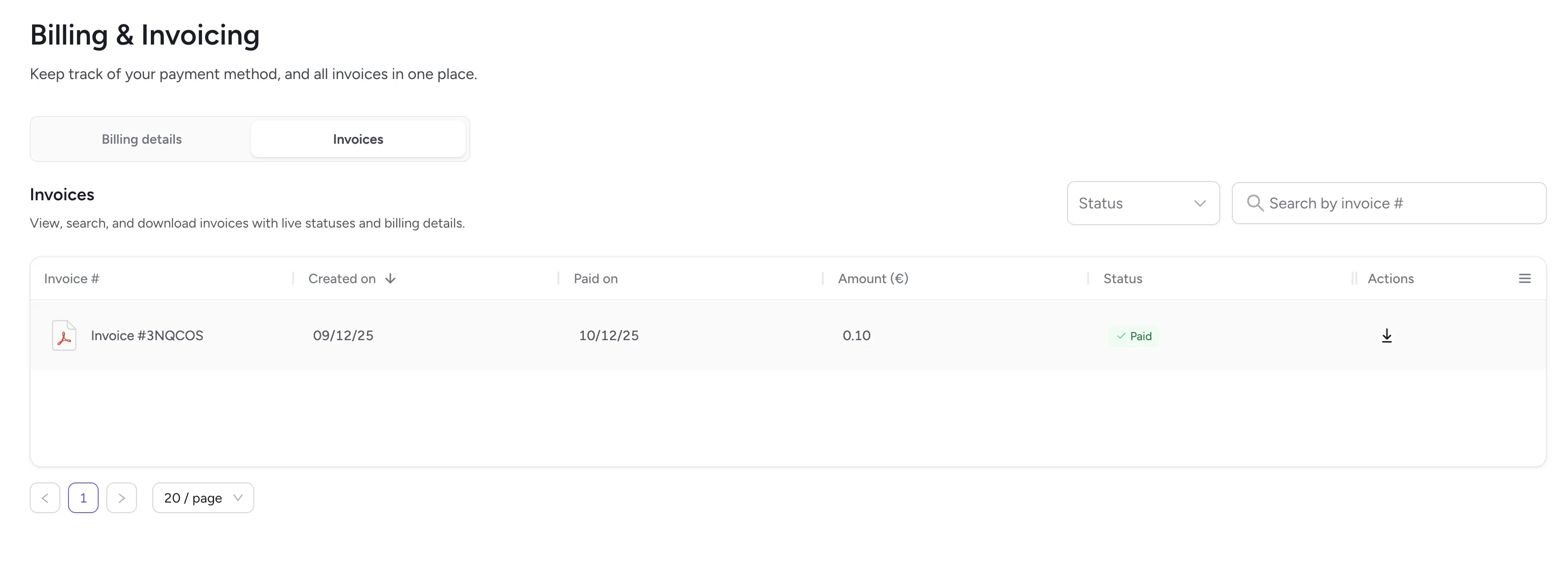
Invoices list
- View invoice numbers
- See creation and payment dates
- Check invoice amounts
- Track statuses (such as Paid or Open)
- Download invoice PDFs
Related
Plan & usage
View your subscription tier and usage metrics.
Integrations
Manage applications connected to your workspace.