

Prerequisites: Web SDK installed, Android SDK installed, or React Native SDK installed; a published template with an effective version; and your App ID.
ClicktermDialog.show() to present a clickwrap agreement to your end user. The SDK fetches the current effective template, displays it in a customizable modal dialog, and returns a Signature when the user takes action.
This guide covers the dialog (modal) mode. To embed a consent checkbox directly in your page instead, see Displaying an inline clickwrap.
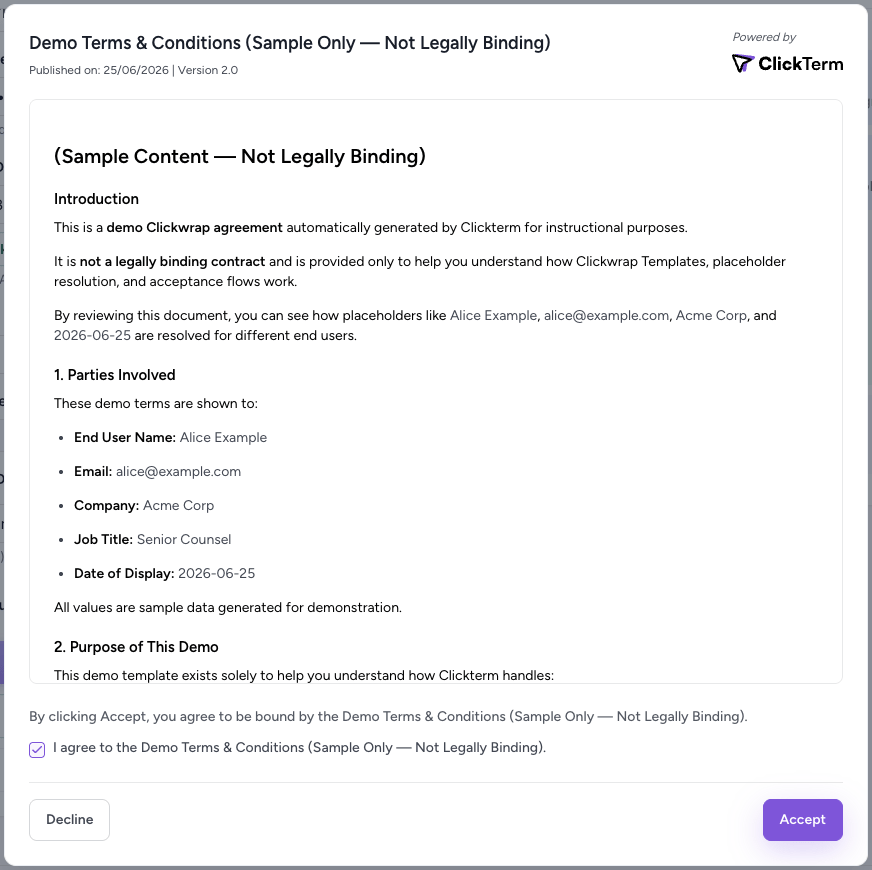
A clickwrap dialog rendered by the Web SDK
Basic usage
Parameters
Configuration options
The second argument toClicktermDialog.show() accepts optional configuration:
Result format
Theresult object returned by ClicktermDialog.show() contains the following fields:
Both accepting and declining a clickwrap return a Signature in the result. The result object does not distinguish between these two actions — the acceptance or decline status is recorded server-side and can be verified through the Signature verification step.
Requests to show a clickwrap are not counted toward billing. All billing
is based on the verification step (
POST /clickwrap/verify).Next steps
Template placeholders
Pass dynamic data into the clickwrap dialog.
Verifying a Signature
Verify the user’s action on your backend.
Inline clickwrap
Embed a consent checkbox in your page instead.
Show accepted content
Re-display an agreement the user already accepted.