Receive verified clickwrap events on your backend and validate webhook signatures securely.
Prerequisites: A configured integration in the ClickTerm Dashboard, a public HTTPS endpoint in your backend, and a completed signature verification flow.
Use webhooks when you want ClickTerm to notify your backend automatically after a clickwrap event has been verified. This is useful for synchronizing consent data, triggering downstream workflows, or updating internal systems without polling.
ClickTerm sends a webhook only after your backend successfully calls POST /public-client/v1/clickwrap/verify and the clickwrap event is finalized.
Webhooks complement the verification response. Use the direct API response for the
immediate user flow, and use webhooks for asynchronous backend processing.
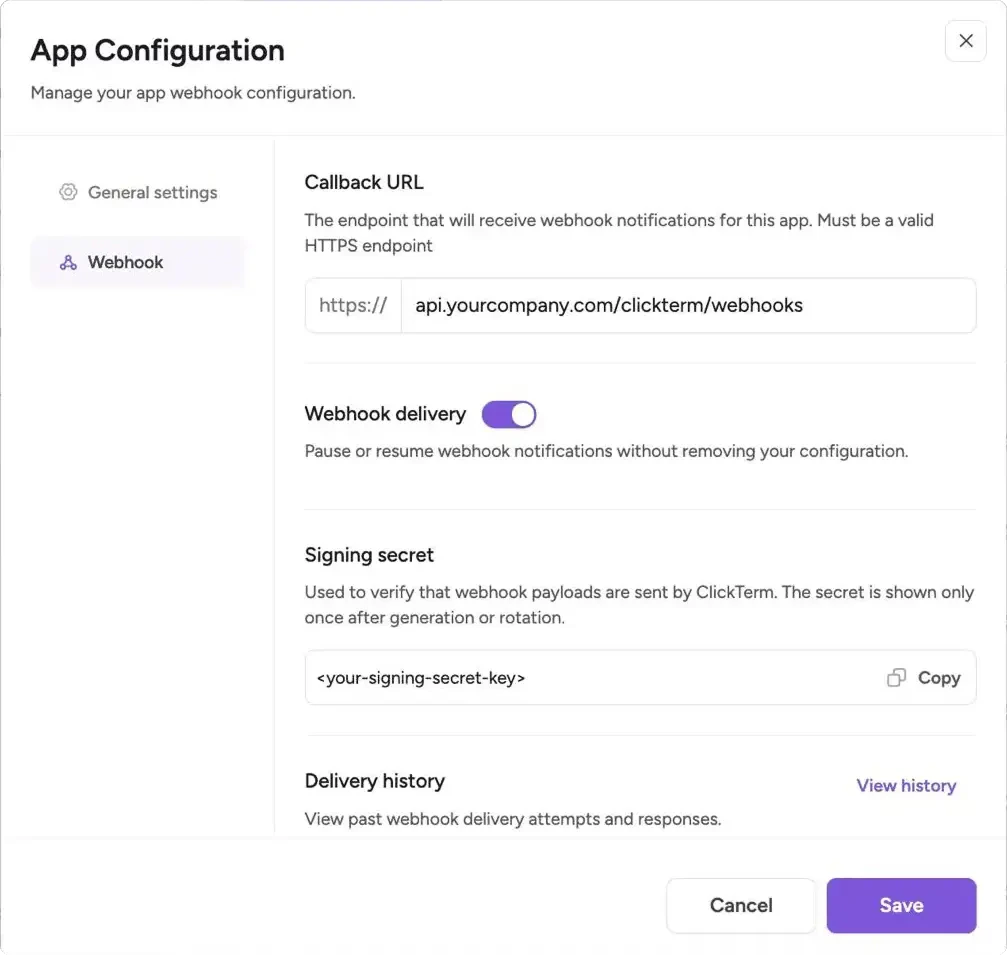
Open your integration in the ClickTerm Dashboard and set a public HTTPS webhook URL for your backend.
Webhook configuration for your ClickTerm app
The URL must use HTTPS and resolve to a public IP address. Localhost, private
networks (e.g. 10.x.x.x, 172.16.x.x, 192.168.x.x), and cloud metadata
endpoints are rejected.
2
Store the signing secret
Save the webhook signing secret in your backend secret manager or environment configuration.
3
Expose a POST endpoint
Your endpoint must accept HTTP POST requests and preserve the raw request body for signature verification.
4
Verify before processing
Validate the timestamp and X-Clickterm-Signature header before parsing or acting on the payload.
5
Return 200 OK
Respond with 200 OK only after successful verification and processing. Any other response is treated as a failed delivery.
POST /webhooks/clickterm HTTP/1.1Content-Type: application/jsonX-Clickterm-Timestamp: 1711800000X-Clickterm-Signature: sha256=3f2b8a1c9d4e5f6a7b8c9d0e1f2a3b4c5d6e7f8a9b0c1d2e3f4a5b6c7d8e9f0{"eventType":"CLICKWRAP_EVENT_VERIFIED","data":{...}}
The X-Clickterm-Signature header always starts with the sha256= prefix followed by
the hex-encoded HMAC digest. When verifying, you must either strip this prefix before
comparing or prepend it to your computed digest. Comparing the raw header value directly
against the hex digest alone will always fail.
templatePlaceholders and technicalMetadata are JSON-encoded strings, not objects.
Parse them in your handler (e.g. JSON.parse(data.templatePlaceholders) in JavaScript,
json.loads(data["templatePlaceholders"]) in Python).
ClickTerm considers a delivery successful only when your endpoint returns 200 OK.
Setting
Description
Success condition
Your endpoint returns 200 OK after verification and processing
Failed delivery
Any non-200 response, including 201, 204, and all 4xx/5xx responses
Retry count
Up to 3 retries after the initial failed attempt
Retry backoff
Exponential, starting at 60 seconds and increasing up to 300 seconds
Request timeout
10 seconds per delivery attempt
Redirects
Not followed — your endpoint must respond directly
Only 200 OK is accepted as a success. Other 2xx status codes like 201 Created
or 204 No Content are treated as failures and will trigger retries. Make sure your
webhook handler returns exactly 200.
Webhook handlers should be idempotent. Retries can happen if your endpoint times
out or returns a non-200 response.
For production integrations, combine webhooks with periodic status polling.
Use webhooks for real-time event-driven workflows, and use the status endpoint
as a fallback to catch any events that weren’t delivered successfully.