

Prerequisites: SDK v2.2.0+ installed, a published template with an effective version, and your App ID.
ClicktermDom.renderInline() to embed a clickwrap agreement as a checkbox directly in your page. Unlike dialog mode (which shows a modal overlay), inline mode gives you full control over where the checkbox appears and when the agreement is submitted.
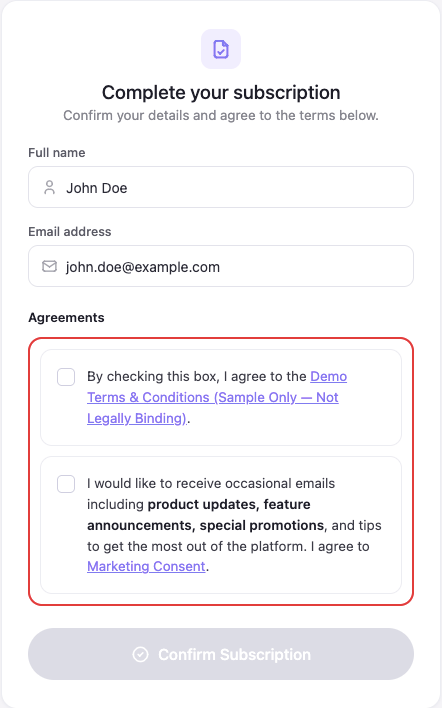
Inline clickwraps embedded in a registration form (Web SDK)
Viewing the full agreement
The checkbox text includes a link to the agreement (for example, the template name or “Terms & Conditions”). When the end user clicks that link, the SDK opens a read-only dialog showing the full clickwrap content — without leaving your page or affecting the checkbox state. The user closes the dialog to return to your form.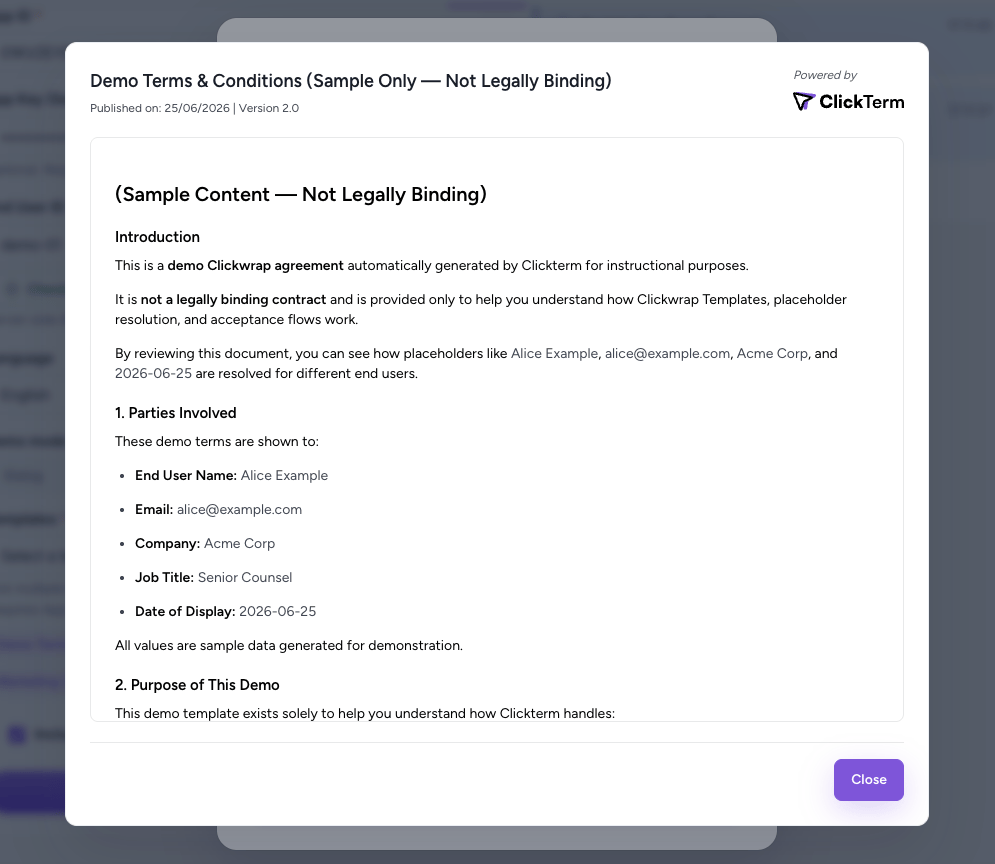
Clicking the link in the checkbox text opens the full agreement in a read-only dialog
Basic usage
Step-by-step
1
Prepare a container
Add an empty element with a unique The container must exist in the DOM when
id where the checkbox should appear:renderInline() is called and must not already have another inline clickwrap rendered in it. Each container holds one inline clickwrap at a time — to render into a container that already has one (for example, to re-render with different parameters), first call handle.destroy() on its handle to tear down the existing instance, otherwise renderInline() throws an “already rendered for container” error. After destroy(), the container is free to be reused.2
Render the inline clickwrap
Call The SDK fetches the agreement content, renders a checkbox + text inside a Shadow DOM in your container, and returns a handle.
ClicktermDom.renderInline() with the container ID, request parameters, and optional callbacks:3
Use the onChange callback
The
onChange callback fires every time the checkbox state changes. Use it to enable or disable your submit button:4
Finalize on form submit
When the user submits your form, call
finalize() on the handle. This locks the checkbox, reads its state, and sends the confirmation to ClickTerm:5
Verify on your backend
Send the Signature to your server and call the ClickTerm verification endpoint. This step is the same as dialog mode — see Verifying a Signature for full details.
Parameters
Options
onLoading, onReady, and onError were added in Web SDK 2.5.0. Use them to
reserve space and show a loader so your form does not jump when the agreement
appears. See inline lifecycle callbacks
for the payloads and outcome values.Result format
Thefinalize() method returns a ClicktermInlineFinalizeResult:
Requests to render an inline clickwrap are not counted toward billing. Only
the verification step (
POST /clickwrap/verify) is billed.Handle types
Depending on the backend response,renderInline() may return different handle types:
Normal case
The user has not accepted yet. A checkbox and agreement text are rendered in the container.Already accepted
The user already accepted this template in a previous session. No UI is rendered in the container.Existing signature
The backend has a signature from a different flow. No UI is rendered in the container.Handling all cases
Multiple inline clickwraps
You can render multiple independent inline clickwraps on the same page. Each needs its own container andrenderInline() call.
Finalizing all at once
Instead of callingfinalize() on each handle, use finalizeAll():
Error handling
WraprenderInline() in try/catch. All errors are instances of ClickwrapError:
Finalize errors do not throw. They return a result with
status: 'ERROR' and the checkbox is automatically unlocked for retry.
Full working example
A registration form with two inline clickwraps:Next steps
Verifying a Signature
Verify the user’s action on your backend.
ClicktermDom API
Full API reference, styling options, and type definitions.
Template placeholders
Pass dynamic data into the agreement text.
Dialog mode
Use the modal dialog approach instead.
Show accepted content
Re-display an agreement the user already accepted.