Starting from SDK version 2.1 and above, the clickwrap dialog can be fully customized directly from the ClickTerm Dashboard — no additional SDK configuration required.All customization settings are managed at the template level in the web interface. Changes apply to all versions of the template.
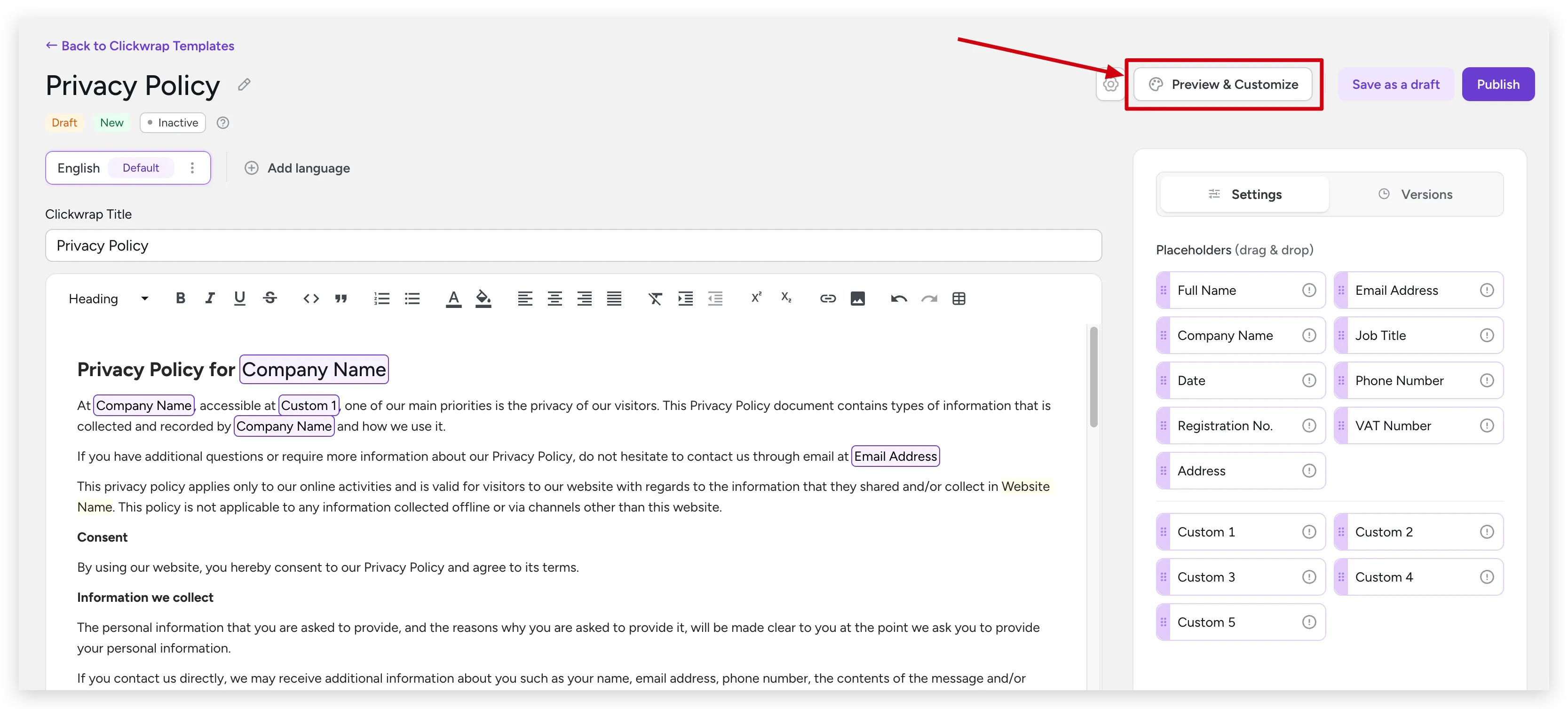
You’ll be redirected to the customization screen with a live preview.
Preview & Customize button
3
Adjust settings
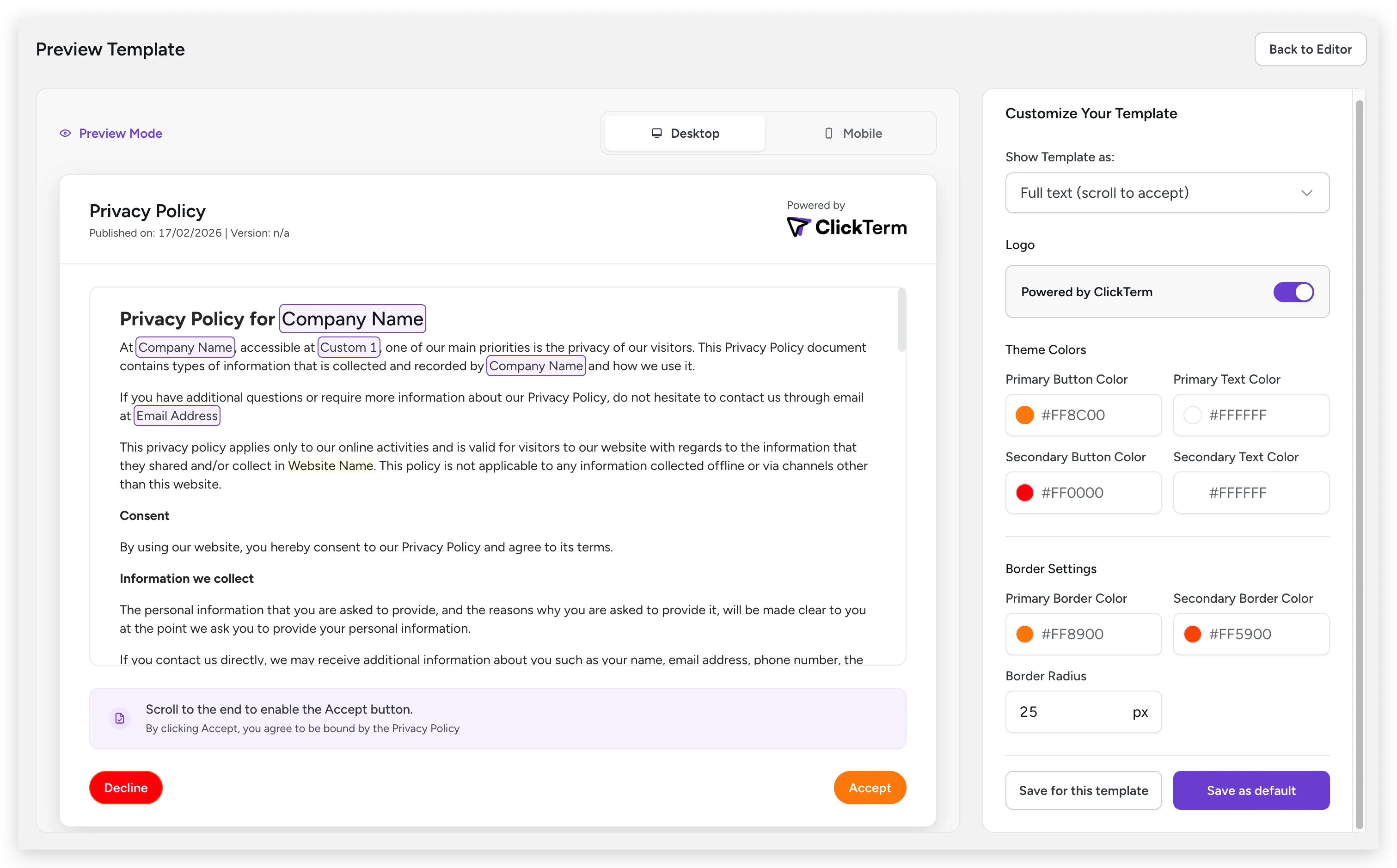
The left panel shows a real-time preview. The right panel contains all customization options. Changes are reflected immediately in the preview.
Customization screen with live preview and settings panel
4
Save your configuration
Choose one of two saving options:
Save for this template — Applies only to the current template
Save as default — Sets as the default for all templates without custom configuration
Changes are reflected in the SDK after saving. It may take a few minutes
for the new configuration to propagate.
Some customization options are available only on paid plans. Visit clickterm.com/pricing for plan details.
Dashboard customization applies to dialog mode only. Inline clickwrap
appearance is customized via code using the style option — see
ClicktermDom styling reference.