

Prerequisites: A published template with placeholder tokens configured in the template editor, and the SDK installed.
Available placeholders
String
Full Name — End user’s full name. Max 100 chars. Letters, digits, spaces, basic punctuation.
String
Email — End user’s email address. Max 254 chars. Standard email format.
String
Company — Organization name. Max 100 chars. Letters, digits, spaces, basic punctuation.
String
Job Title — End user’s role. Max 80 chars. Letters, digits, spaces, basic punctuation.
String
Date — Optional date string rendered into the template.
String
Phone — Contact number. Max 30 chars. Digits, spaces, basic punctuation.
String
Registration No. — Company registration identifier. Max 50 chars. Letters, digits, spaces, basic punctuation.
String
VAT Number — VAT identifier. Max 50 chars. Letters, digits, spaces, basic punctuation.
String
Address — Physical address. Max 500 chars. Letters, digits, spaces, punctuation, newlines.
Map<String, String>
Custom placeholders — User-defined placeholder key-value pairs. Max 10000 chars. Letters, digits, spaces, punctuation, newlines
If a placeholder value is not supplied, it appears as a dash (
-) in the rendered agreement.Usage
- Current versions (recommended)
- Older versions
Applies to Web SDK
2.3.0+, Android SDK 2.2.0+, and React Native SDK 0.3.0+.How it works
- You configure placeholder tokens in the template editor (drag and drop from the sidebar)
- When calling
ClicktermDialog.show()orClicktermDom.renderInline(), pass values via thetemplatePlaceholdersparameter - ClickTerm substitutes those values into the template before rendering
- The same values appear in the Clickwrap Event, Certificate of Acceptance, and end user record
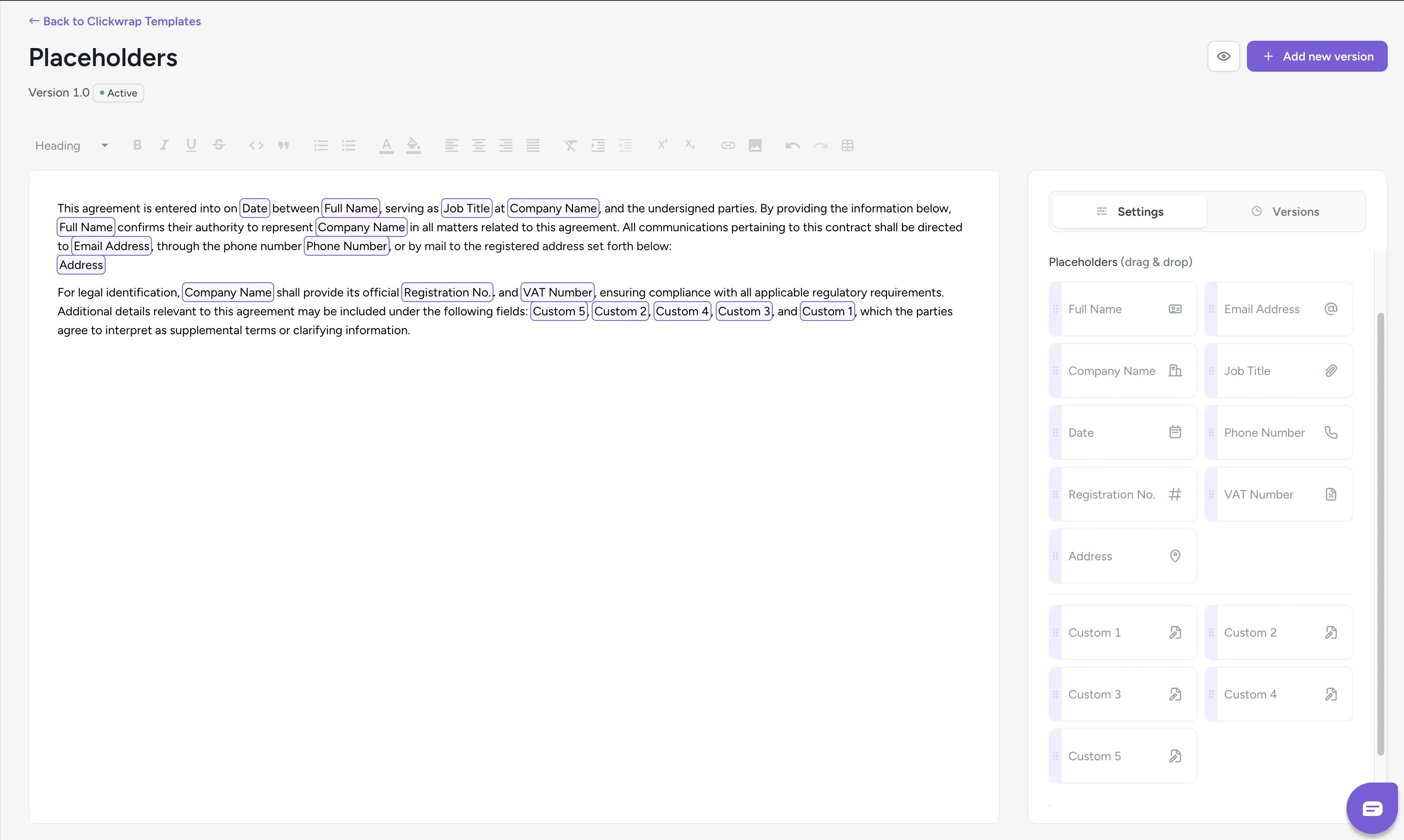
Template editor showing placeholder tokens being inserted into the agreement
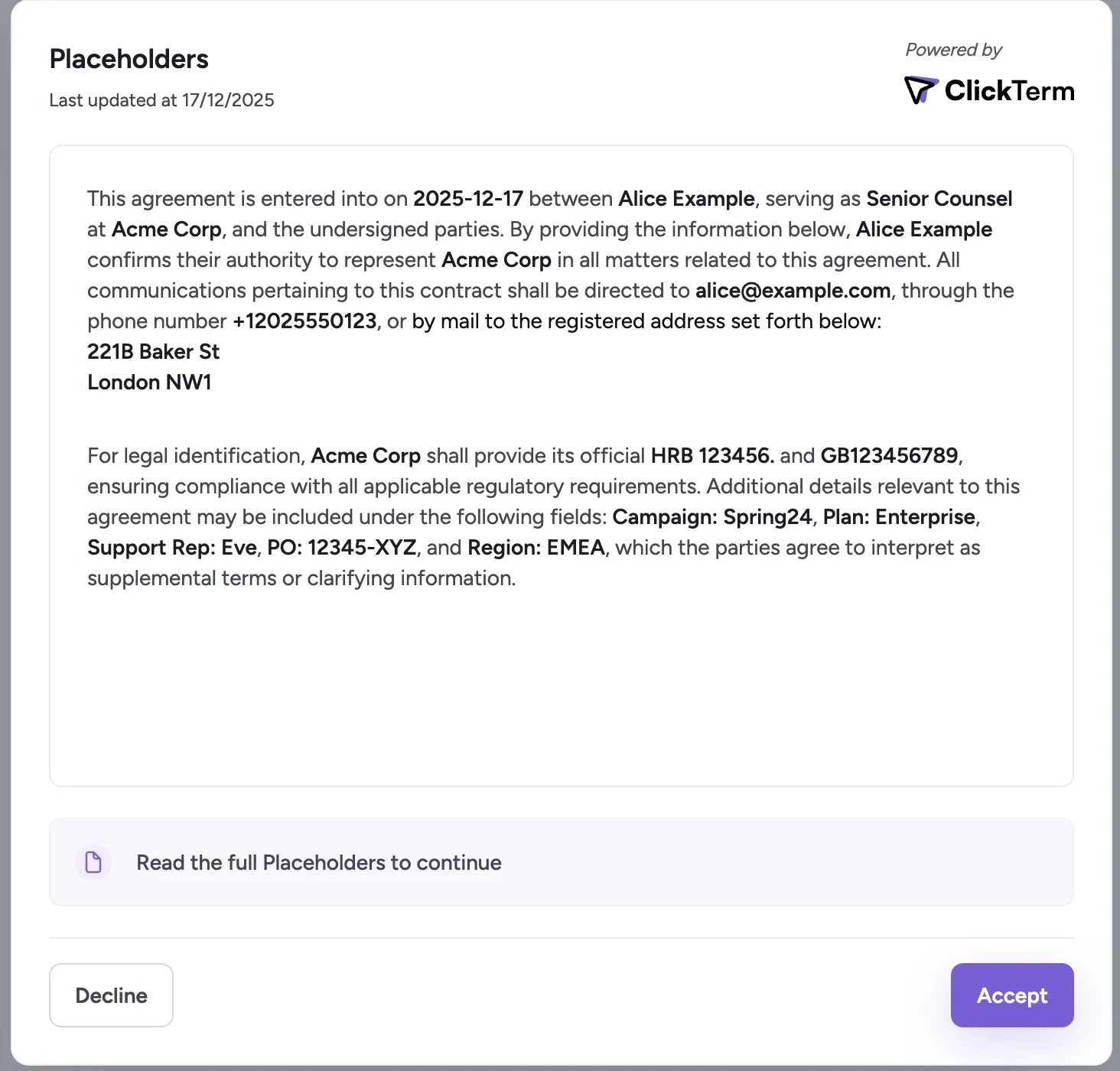
Rendered clickwrap modal showing placeholders replaced with live data
Related
Product Guide: Placeholders
How to configure placeholder tokens in the dashboard editor.
Displaying a clickwrap
Show the clickwrap in dialog or inline mode.