Prerequisites: SDK installed or Android SDK installed, a published template with an effective version, and your App ID.
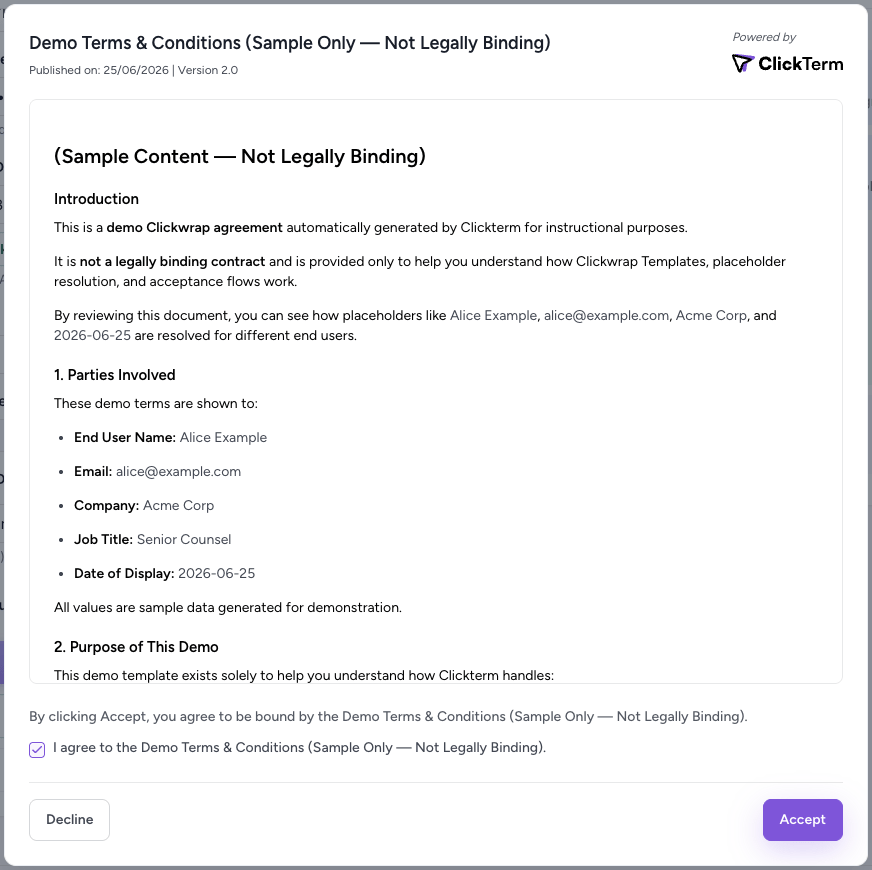
Use ClicktermDialog.show() to present a clickwrap agreement to your end user. The SDK fetches the current effective template, displays it in a customizable modal dialog, and returns a Signature when the user takes action.

Basic usage

const { ClicktermClient, ClicktermDialog } = window.Clickterm;
ClicktermClient.initialize("YOUR_CLICKTERM_APP_ID");

ClicktermDialog.show({
  endUserId: "user-123",
  clickwrapTemplateId: "YOUR_TEMPLATE_ID",
  language: "en"
}).then((result) => {
  console.log("Clickwrap result:", result);
  // Send result.clicktermSignature (the Signature) to your backend for verification
}).catch((error) => {
  console.error("Clickwrap error:", error);
});

Parameters

ParameterRequiredDescription
clickwrapTemplateIdYesThe ID of your clickwrap template. You can obtain this from the ClickTerm dashboard after creating a template.
endUserIdYesYour identifier for the end user (max 256 chars). If your user ID is not known yet, you can generate a UUID and map it to your user ID in your backend.
templatePlaceholdersNoKey-value pairs to fill placeholders in the template. When using the SDK, values are encoded automatically.
languageNoLanguage code for the dialog UI and template content. If omitted or if an unsupported language is used, the default language configured in the ClickTerm UI is used. See the full list of supported languages.

Configuration options

The second argument to ClicktermDialog.show() accepts optional configuration:
ParameterDefaultDescription
disableClosefalseControls whether the end user can dismiss the dialog by clicking outside of it. When false, clicking outside closes the dialog and the result will have isCanceled: true. When true, the user must explicitly accept or decline to proceed.
ClicktermDialog.show({
  endUserId: "user-123",
  clickwrapTemplateId: "YOUR_TEMPLATE_ID",
  templatePlaceholders: { fullName: "Alice Example" }
}, {
  disableClose: true
}).then((result) => {
  console.log("Clickwrap result:", result);
}).catch((error) => {
  console.error("Clickwrap error:", error);
});

Result format

The result object returned by ClicktermDialog.show() contains the following fields:
FieldTypeDescription
clicktermSignatureStringThe cryptographic Signature proving the end user’s action. null if the user has already accepted or canceled the dialog. When present, send this to your backend for verification.
isAlreadyAcceptedBooleantrue if the end user has already accepted the latest major version of this template. The dialog is not shown and no new Signature is generated.
isCanceledBooleantrue if the end user closed the dialog without accepting. Only possible when disableClose is not enabled.
{
  "clicktermSignature": "eyJhbGciOiJSUzI1NiJ9...",
  "isAlreadyAccepted": false,
  "isCanceled": false
}
Both accepting and declining a clickwrap return a Signature in the result. The result object does not distinguish between these two actions — the acceptance or decline status is recorded server-side and can be verified through the Signature verification step.
Requests to show a clickwrap are not counted toward billing. All billing is based on the verification step (POST /clickwrap/verify).

Next steps

Template placeholders

Pass dynamic data into the clickwrap dialog.

Verifying a Signature

Verify the user’s action on your backend.