

Get started in 5 minutes
Pick the SDK for your frontend platform:Web SDK
JavaScript for web apps
Android SDK
Native Android (Gradle)
React Native SDK
Expo or bare React Native
Inline Clickwrap
Embed consent checkboxes in your page
REST API
Server-side verification, consent status, and certificate downloads
How it works
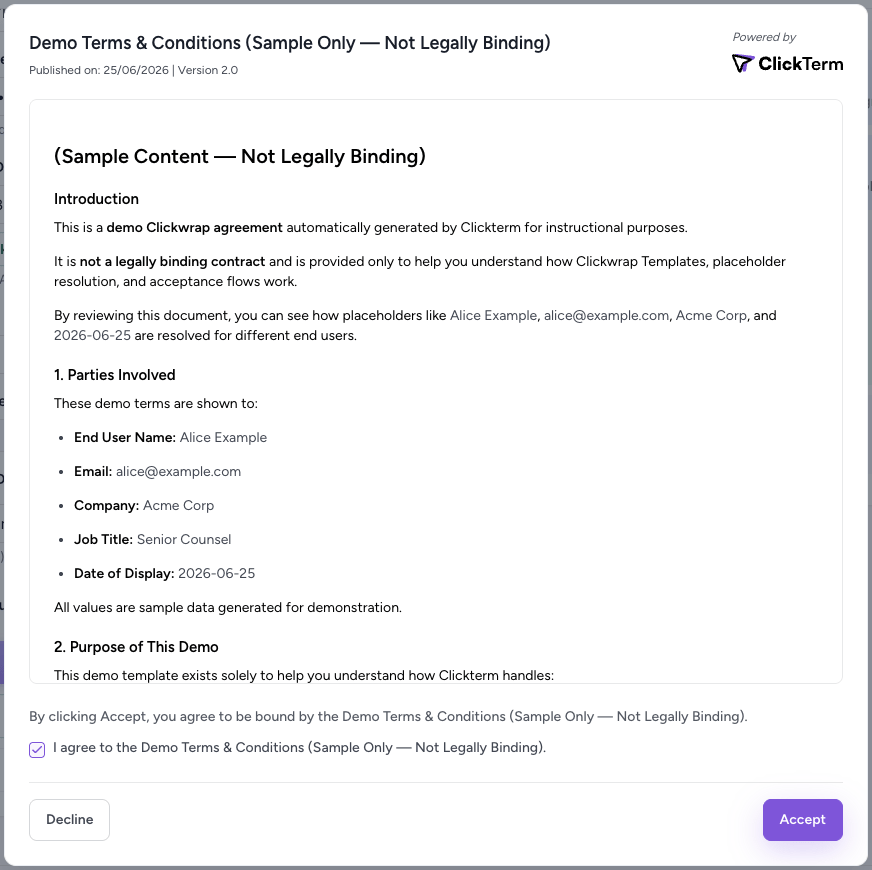
Sample clickwrap dialog
What you can build
- Gated registration — Require acceptance before creating an account
- Compliance dashboards — Query consent status across your user base
- Audit workflows — Download certificates and agreements for legal teams
- Re-acceptance flows — Automatically prompt users when terms are updated
Explore the docs
Integration flow
Understand the complete architecture with sequence diagrams.
Template placeholders
Pass dynamic data (name, email, company) into agreements.
Inline clickwrap
Embed consent checkboxes directly in your forms.
Product Guide
Dashboard guides for templates, consent, and administration.