> ## Documentation Index
> Fetch the complete documentation index at: https://docs.clickterm.com/llms.txt
> Use this file to discover all available pages before exploring further.
# Plan & usage
> View your current subscription tier and monthly usage metrics.
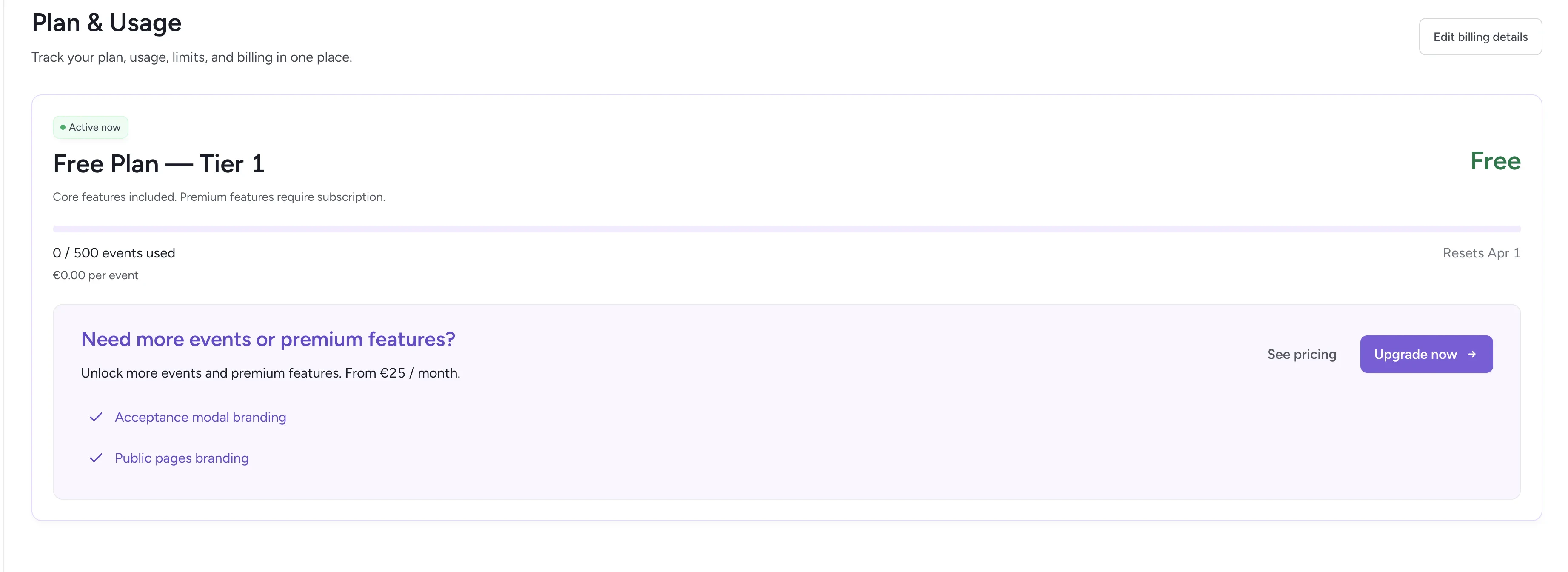
The **Plan & Usage** section gives you a complete view of your current subscription, usage, and total spend.
 ## Current tier
Your active plan is displayed at the top. For example:
* **Tier 1** (default for all new workspaces)
* All core features included
* You only pay for verification events once you exceed the free limit
## Usage bar
The usage bar visualizes your monthly consumption, making it clear where you stand relative to your current tier.
## Usage counters
* **Events used** — The total number of verification events processed this month
* **Total spent** — Total cost based on usage above your free tier
These metrics update in real time as your integrations generate new events.
No manual upgrade is required — you are automatically billed based on usage.
## Billing information
**With active subscription:**
* Next payment date shown (e.g., April 1, 2026)
* **Manage payment** — Update your payment method or billing details
* **Cancel subscription** — Stop your recurring subscription
**Without subscription (free plan):**
* **Upgrade now** — Start a Premium subscription
* **See pricing** — Compare plans and pricing tiers
For full pricing details, tier comparisons, and example cost calculations, visit [clickterm.com/pricing](https://clickterm.com/pricing).
Only `POST /clickwrap/verify` calls count as billable events. Showing clickwrap dialogs, checking consent status, and downloading certificates are all **free**.
## Related
Manage payment methods and download invoices.
Control workspace access and member roles.
## Current tier
Your active plan is displayed at the top. For example:
* **Tier 1** (default for all new workspaces)
* All core features included
* You only pay for verification events once you exceed the free limit
## Usage bar
The usage bar visualizes your monthly consumption, making it clear where you stand relative to your current tier.
## Usage counters
* **Events used** — The total number of verification events processed this month
* **Total spent** — Total cost based on usage above your free tier
These metrics update in real time as your integrations generate new events.
No manual upgrade is required — you are automatically billed based on usage.
## Billing information
**With active subscription:**
* Next payment date shown (e.g., April 1, 2026)
* **Manage payment** — Update your payment method or billing details
* **Cancel subscription** — Stop your recurring subscription
**Without subscription (free plan):**
* **Upgrade now** — Start a Premium subscription
* **See pricing** — Compare plans and pricing tiers
For full pricing details, tier comparisons, and example cost calculations, visit [clickterm.com/pricing](https://clickterm.com/pricing).
Only `POST /clickwrap/verify` calls count as billable events. Showing clickwrap dialogs, checking consent status, and downloading certificates are all **free**.
## Related
Manage payment methods and download invoices.
Control workspace access and member roles.