> ## Documentation Index
> Fetch the complete documentation index at: https://docs.clickterm.com/llms.txt
> Use this file to discover all available pages before exploring further.
# Audit logs
> Review a detailed record of all system interactions and API usage, including timestamps, user actions, and device metadata.
The **Audit Logs** page provides a detailed record of all interactions with the ClickTerm system. These logs help you verify system activity and review API usage.
Every log entry reflects an action performed by a user or an integration, along with metadata that helps you understand what happened and when.
## Logs table
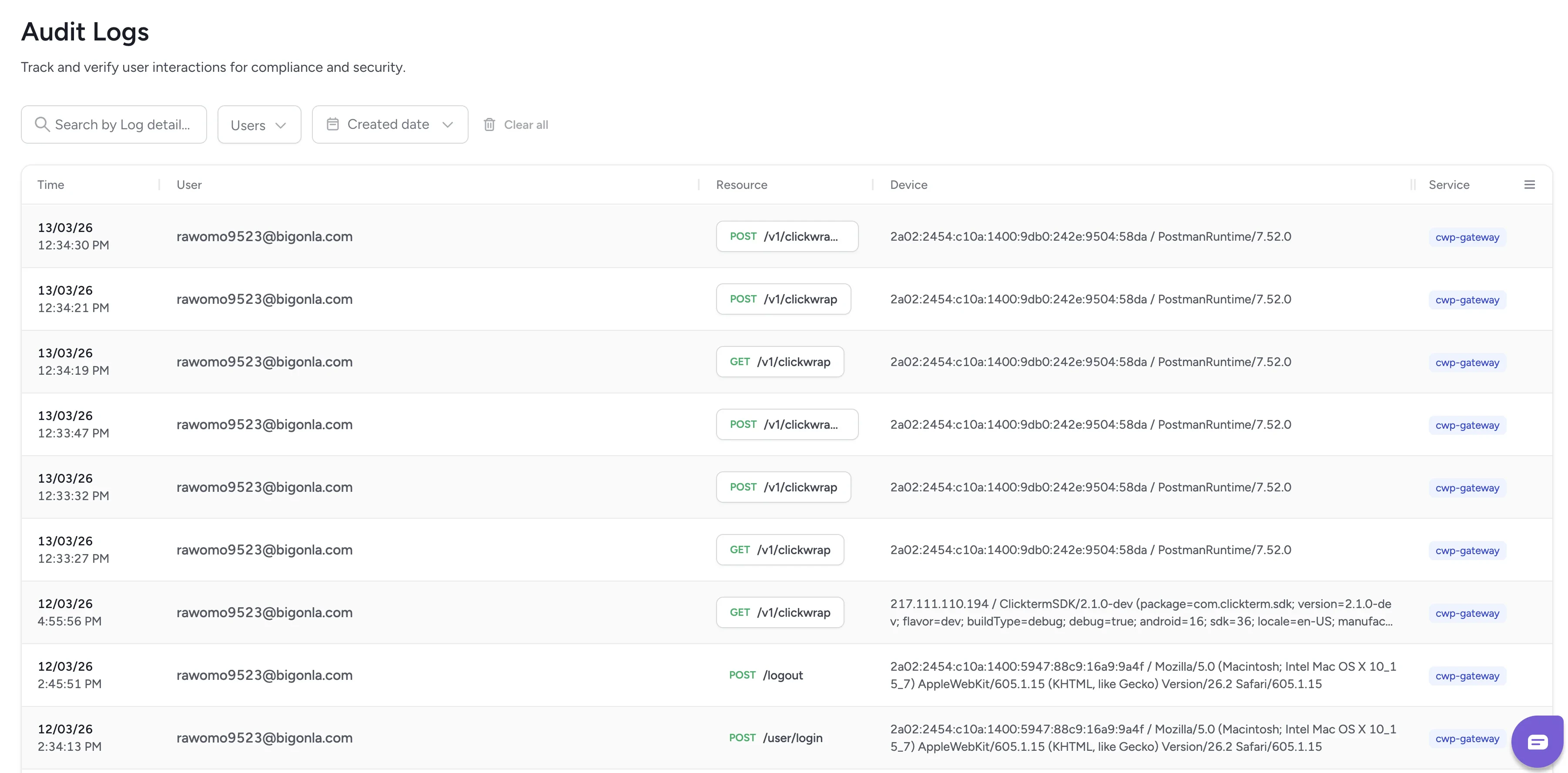 Each row in the table represents a single audit event:
| Column | Description |
| ------------ | --------------------------------------------------------------------------- |
| **Time** | The exact timestamp of the action |
| **User** | The ClickTerm user who performed it (e.g., your team member) |
| **Resource** | The API endpoint involved (e.g., `POST /v1/clickwrap`) |
| **Device** | Device or agent information, such as IP address and user agent |
| **Service** | The internal ClickTerm service that processed the action (e.g., CT-Gateway) |
This information helps you understand the origin and nature of each action for compliance and troubleshooting purposes.
## Related
View detailed event logs and download certificates.
Manage workspace access and member roles.
Each row in the table represents a single audit event:
| Column | Description |
| ------------ | --------------------------------------------------------------------------- |
| **Time** | The exact timestamp of the action |
| **User** | The ClickTerm user who performed it (e.g., your team member) |
| **Resource** | The API endpoint involved (e.g., `POST /v1/clickwrap`) |
| **Device** | Device or agent information, such as IP address and user agent |
| **Service** | The internal ClickTerm service that processed the action (e.g., CT-Gateway) |
This information helps you understand the origin and nature of each action for compliance and troubleshooting purposes.
## Related
View detailed event logs and download certificates.
Manage workspace access and member roles.